Group administration
In group management you decide who belongs to a group. Whoever is a member of a group reaches all folders of that group. This lets a site manager, for example, add their people and remove them again without being an administrator.
Group admins and administrators only
Only administrators and accounts that administer at least one group see the Group management entry in the navigation bar. It is hidden for everyone else.
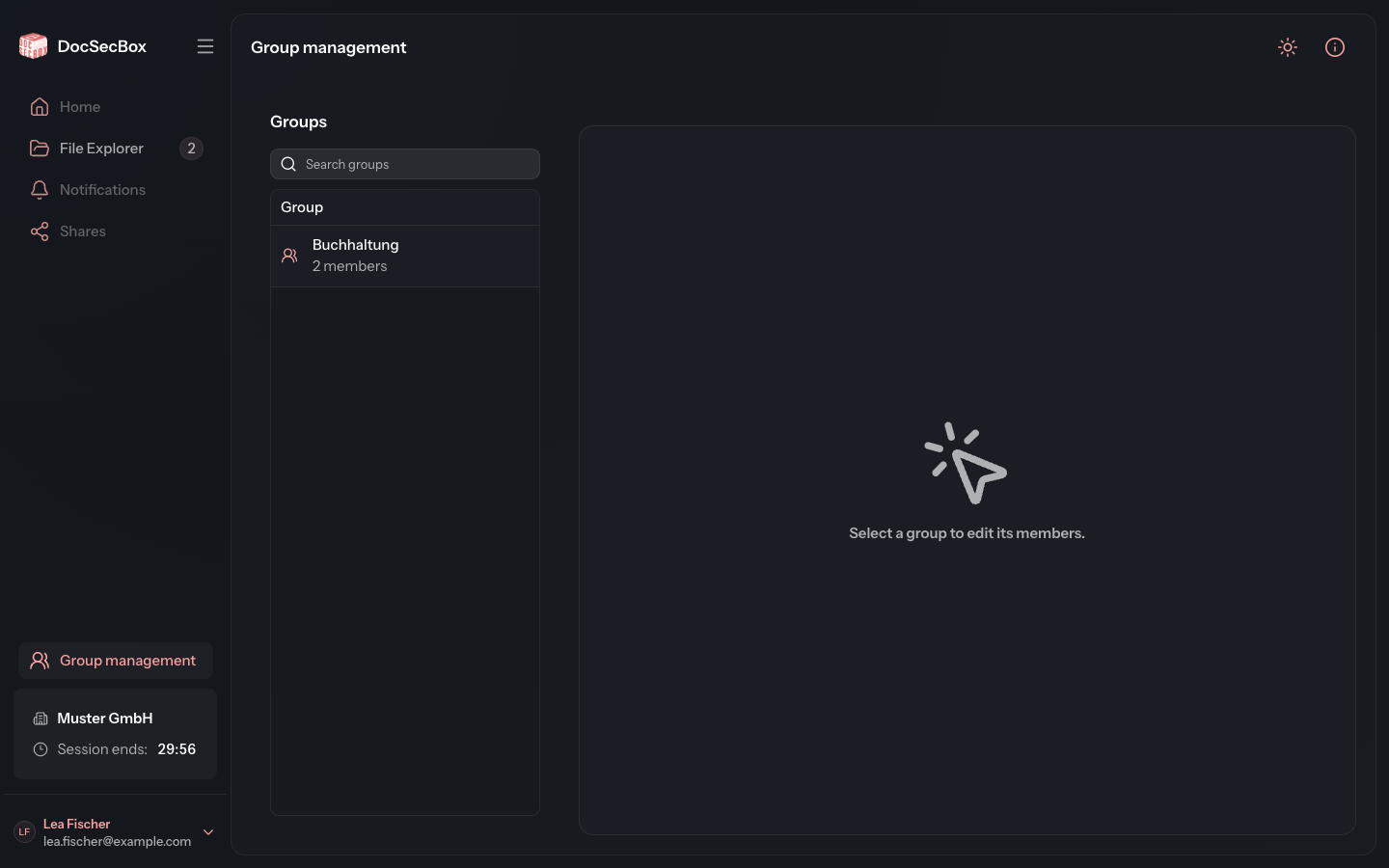
Opening a group
- Click Group management in the navigation bar.
- On the left, under Groups, select a group. The Search groups field helps you find it faster. Below each name you see how many members the group has.
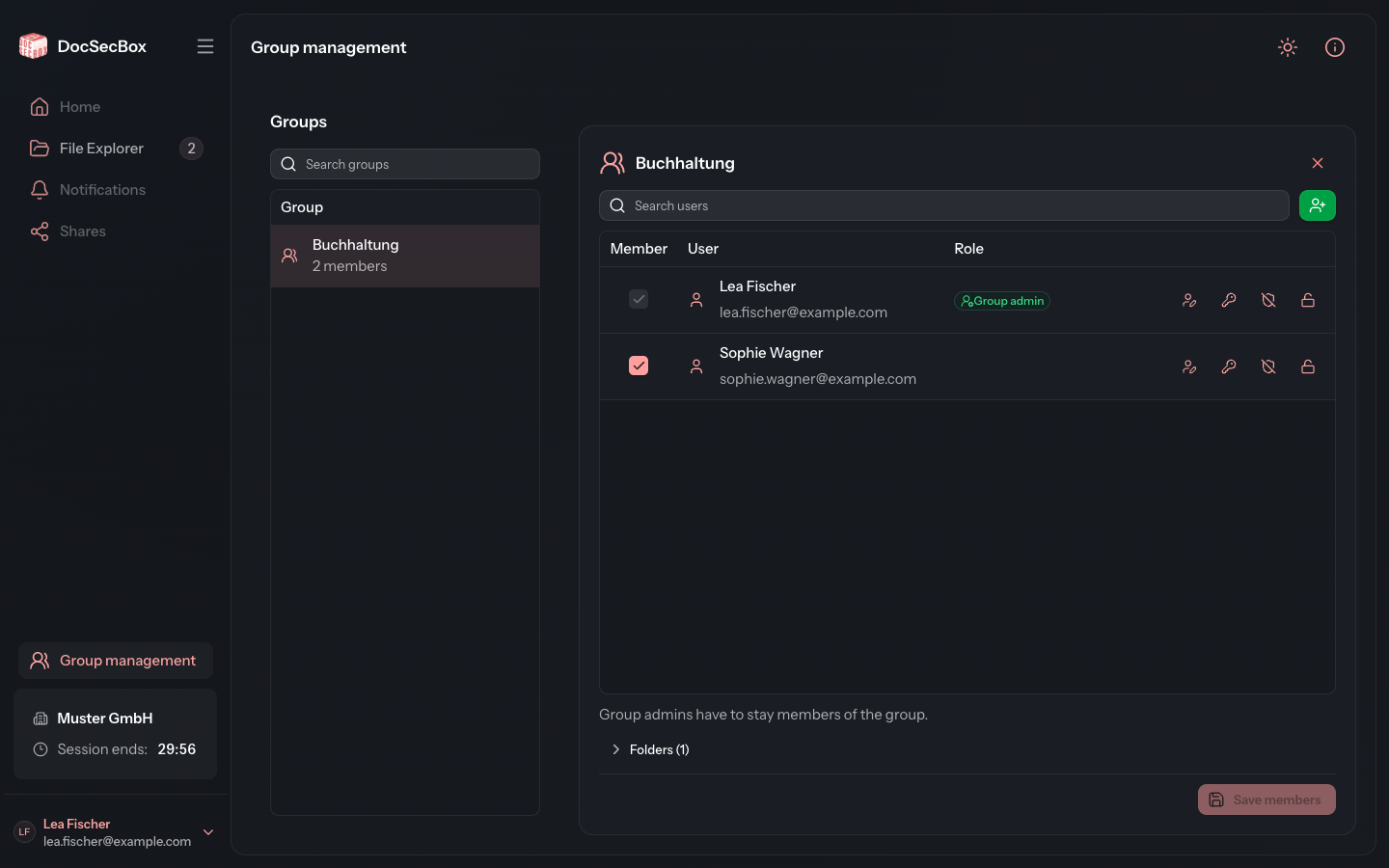
- The members of the group appear on the right. How to change them is described under Manage members.
Use (Close selection) at the top right to close the group again.
Group admin or administrator
The page looks slightly different for a group administrator and for an administrator:
| Task | Group admin | Administrator |
|---|---|---|
| See groups | only their own | all |
| Add and remove members | yes | yes |
| Appoint group admins | no | yes |
| Create and edit users | if allowed | yes |
| Reset password, two-factor and login attempts | if allowed | no |
| Assign folders | no | no |
An administrator resets accounts under Settings › Overview › Users. They assign folders to a group in the Members tab of the folder, see Members.
What a group admin may do
Your administrator decides what group admins may do under Settings › Application › Roles, in the Group admin authority card. The setting applies to all group admins alike. It only takes effect if Enable group admins is switched on there.
| Authority | Meaning |
|---|---|
| Create users | Create new accounts for the groups they administer. |
| Edit users | Change accounts that belong to one of the groups they administer. |
| See all users | Without this right the list only shows the members of the groups they administer. |
| Reset the password | The person receives an e-mail with which they set a new password. |
| Reset two-factor authentication | The person sets up sign-in with a second factor again. |
| Reset sign-in attempts | Releases an account that is locked after too many failed attempts. |
| Delete files | Delete files in every folder of the groups they administer, no matter who uploaded them. |
The Which permissions a group admin may grant card additionally limits which permissions a group admin can set when creating or editing an account. Both cards are described under Roles.
Good to know
- A group admin does not assign folders. They can see which folders a group reaches under Group folders.
- Creating, renaming and deleting groups, and deleting users, is not possible here. An administrator does this under Settings › Overview, see Groups.
- A group admin is always a member of their group as well. They cannot remove themselves.