Recipient's view
Someone has shared a folder from the DocSecBox with you. You can view the files in it and, if the sender allows it, download them. You do not need an account or a sign-in for this, and you do not have to install anything.
Opening the folder
- Click the link you received. Or scan the QR code with your smartphone's camera.
- If the Protected share page appears, the folder is protected with a PIN. Enter the PIN the sender gave you and click Open share.
You then see the files of the folder.
Shared by shows which company shared the folder with you. This lets you check that the link comes from the sender you expect.
If the PIN is wrong, the message “That is not correct.” appears. After several failed attempts you have to wait a few seconds before you can try again.
Finding a file
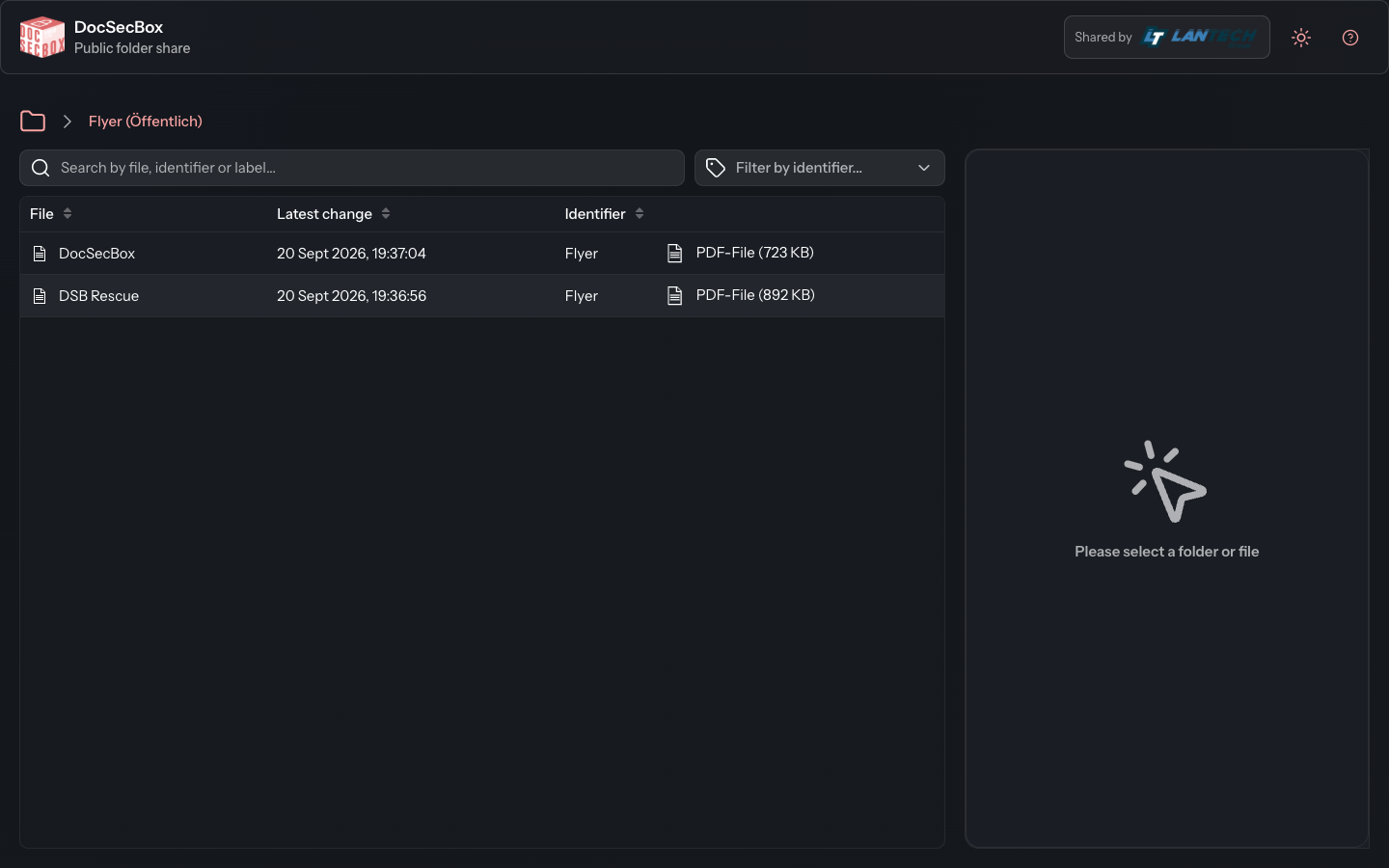
The list shows all files of the folder. The File column holds the name, Latest change the date, and the far right the type and size of the file. On a smartphone you only see the name. Clicking a column heading sorts the list.
- Type part of the name into the Search by file, identifier or label... field. The list then shows only matching files.
- If the sender has given the files keywords, you see the Identifier column and the Filter by identifier... field. Choose a keyword there to see only those files.
Viewing or downloading a file
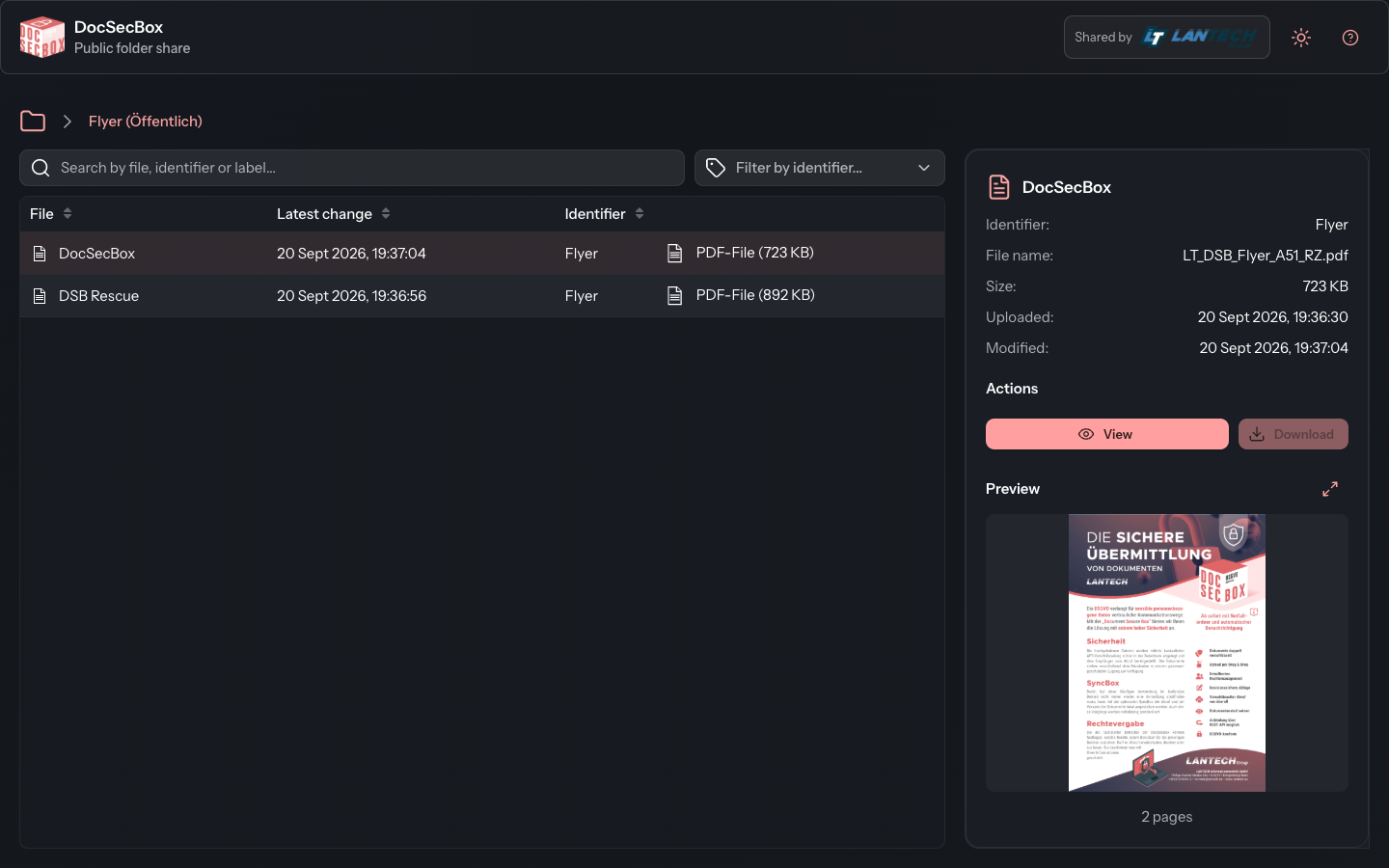
- Click the file in the list. Its details and a small Preview appear on the right. On a smartphone the details open on top of the list.
- Click View to open the file in the browser.
- Click Download to save the file on your device.
If Download is greyed out, you may only view the file. The sender has set it up that way.
If the link does not work
If the link opens the DocSecBox sign-in page instead of the folder, the share has expired or been ended. If it ends while you have the page open, the message “This folder share is no longer valid.” appears the next time you click a file. In both cases, contact the sender. They can send you a new link.
Good to know
- You only see this one folder. Uploading, renaming or deleting is not possible here.
- Do not pass the link on. Whoever has it sees the same files as you.
- Use at the top right to switch between the light and the dark design. The symbol next to it opens this help page.
- Shared by is shown at the top right, on a smartphone at the end of the page.